

Caffeine management for video call energy is the practice of timing and dosing caffeine to sustain mental clarity during back-to-back remote meetings. The FDA sets 400 mg per day as the safe upper limit for healthy adults. That number matters because most remote workers exceed it by midday without realizing it. The real skill is not drinking more coffee. It is drinking it at the right time, in the right amount, paired with the right habits. Get that right, and you show up to every call sharp, present, and in control.
How to manage caffeine for video call energy with better timing
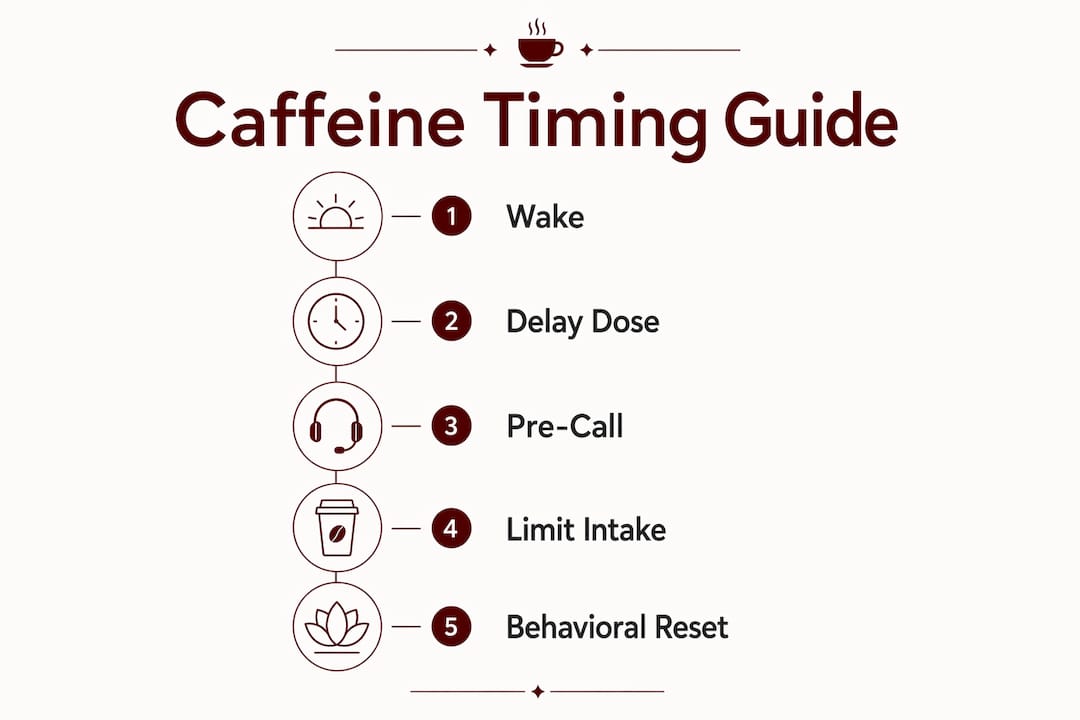
The single most effective caffeine management tip most remote workers ignore is this: do not drink coffee the moment you wake up. Your body produces its highest cortisol levels in the first 30–60 minutes after waking. Cortisol is your natural alertness hormone, and it peaks on its own during that window. Drinking caffeine while cortisol is already high wastes the dose and accelerates tolerance.
Delaying your first caffeine dose 90–120 minutes after waking aligns your intake with the natural cortisol dip that follows the morning peak. That timing means caffeine fills the gap rather than competing with your own biology. The result is steadier focus with fewer jitters and a longer window of effectiveness.
Here is how to apply this to a real remote work schedule:
- Wake at 6:30 a.m. Drink water, eat a light breakfast, and let cortisol do its job.
- First coffee at 8:00–8:30 a.m. This hits right as cortisol begins to drop and your first calls approach.
- Second dose at 11:30 a.m. Timed for the post-lunch cognitive dip, before afternoon meetings.
- Hard stop by 1:00–2:00 p.m. Protects sleep if your bedtime is 10:00–11:00 p.m.
Pro Tip: Map your meeting calendar before you plan your caffeine. If your most demanding calls cluster between 9:00 a.m. and noon, your first dose should peak right before that window, not during your commute to the home office.
Caffeine timing is also about pairing intake with your meeting calendar rather than drinking on autopilot. Remote workers who sync their doses with their heaviest cognitive load periods report fewer energy crashes in the afternoon.
How to dose caffeine safely throughout your workday
Safe caffeine dosing is not just about staying under 400 mg per day. It is about how you distribute that amount across your waking hours.

A single large dose of 200–300 mg in the morning followed by nothing is one approach. Spreading 100 mg doses across three or four intervals is another. Repeated small caffeine doses in the morning often worsen afternoon slumps and disrupt sleep, especially when the last dose creeps past 2:00 p.m. Strategic timing beats volume every time.
The four rules for safe daily dosing:
- Stay under 400 mg total. Symptoms of excess include heart palpitations, anxiety, and disrupted sleep. These are not signs to push through.
- Set a firm cutoff. A caffeine cutoff 8–10 hours before sleep protects sleep quality and the cognitive performance you need the next day.
- Eat before or with caffeine. Pairing caffeine with protein and healthy fats slows absorption, reduces jitters, and stabilizes blood sugar during high-focus work.
- Hydrate between doses. Caffeine is a mild diuretic. Drinking water between cups prevents the dehydration that mimics fatigue and tanks your concentration.
“Treat caffeine as a tool aligned with cortisol cycles rather than primary fuel. Delay your first dose to prevent crashes and dependency.” This framing shifts caffeine from a crutch to a precision instrument.
The microdosing approach, meaning sipping small amounts every hour, sounds appealing but carries a real risk. Each sip resets your adenosine clock slightly, making it harder for your brain to fully clear fatigue signals. By late afternoon, you feel wired and tired at the same time. That is not a caffeine problem. That is a dosing strategy problem. Understanding why caffeine timing affects focus is the foundation of fixing it.
What behavioral strategies reduce video call fatigue alongside caffeine?
Caffeine addresses one layer of video call fatigue. The deeper layer is cognitive, and no amount of coffee fixes it alone.
Video call fatigue stems from non-verbal overload and self-view anxiety rather than pure physical exhaustion. Staring at your own face for hours triggers a form of self-monitoring stress that drains mental energy faster than any physical task. Caffeine can sharpen attention, but it cannot reduce the psychological cost of constant self-surveillance.
The behavioral fixes that actually work alongside caffeine:
- Hide self-view. Most video platforms let you remove your own face from your screen. Do it. The cognitive relief is immediate.
- Use audio-only for internal calls. Switching to audio-only modes reduces cognitive strain significantly for calls that do not require screen sharing or visual context.
- Take a physical break every 90 minutes. Stand up, stretch, and look at something 20 feet away for 20 seconds. This resets both your body and your visual system.
- Build 10-minute buffers between calls. Back-to-back meetings with no transition time compound fatigue faster than any single long call.
- Check your ergonomic setup. A monitor at eye level and a chair that supports your lower back reduce the physical tension that amplifies mental tiredness.
Pro Tip: Schedule your most caffeine-sensitive calls, meaning the ones requiring sharp thinking and fast responses, during your peak caffeine window. Save low-stakes check-ins for the tail end of your dose cycle.
Mental exhaustion from video calls requires physiological resets that caffeine alone cannot replace. Standing, stretching, and eye breaks are not optional recovery tactics. They are the other half of your energy management system.
What are the most common caffeine mistakes during video calls?
The most common caffeine mistake remote workers make is drinking coffee for comfort rather than for focus. A warm mug feels productive. But sipping continuously from 7:00 a.m. to 3:00 p.m. means your last dose lands well inside the 8–10 hour sleep disruption window.
Recognizing the signs of poor caffeine management:
- Afternoon anxiety with no clear cause. This is often accumulated caffeine, not stress.
- Difficulty falling asleep despite feeling tired. A classic sign your cutoff time is too late.
- Energy crashes at 2:00–3:00 p.m. Usually caused by a large morning dose with no follow-up timing plan.
- Jitters during calls. A signal you dosed too high or too fast on an empty stomach.
The fix for most of these is not less caffeine. It is better placement. A caffeine nap protocol is one underused tool: drink a small dose of caffeine, then immediately take a 20-minute rest. Caffeine takes about 20 minutes to absorb, so you wake up as it kicks in, refreshed and alert. This works particularly well before an afternoon block of calls.
| Mistake | Symptom | Fix |
|---|---|---|
| Sipping all morning | Afternoon crash, poor sleep | Set a hard cutoff at 1:00–2:00 p.m. |
| Drinking on an empty stomach | Jitters, anxiety during calls | Eat protein and healthy fats first |
| No timing plan | Inconsistent focus across calls | Sync doses with your meeting calendar |
| Too many small doses | Wired-and-tired feeling by 4:00 p.m. | Consolidate to 1–2 intentional doses |
Tracking your caffeine intake alongside a simple focus log for two weeks reveals patterns most people never notice. Note the time of each dose, the amount, and your energy level at each call. The data tells you exactly where your system breaks down.
Key takeaways
Timing caffeine to match cortisol rhythms, staying under 400 mg per day, and pairing caffeine with behavioral resets is the most effective system for sustained video call energy.
| Point | Details |
|---|---|
| Delay your first dose | Wait 90–120 minutes after waking to align caffeine with your cortisol dip. |
| Respect the 400 mg limit | Exceeding the FDA daily limit causes anxiety, crashes, and sleep disruption. |
| Set a firm cutoff | Stop caffeine 8–10 hours before bed to protect sleep and next-day performance. |
| Pair caffeine with food | Protein and healthy fats reduce jitters and stabilize blood sugar during calls. |
| Add behavioral resets | Hide self-view, take physical breaks, and use audio-only modes to cut cognitive load. |
What I have learned about caffeine and video call stamina
I spent a long time treating caffeine as a volume problem. More calls meant more coffee. The logic felt obvious. The results were not.
The turning point was realizing that Zoom fatigue is cognitive overload from self-monitoring and missing non-verbal cues. Caffeine masks those symptoms. It does not solve them. I was using a stimulant to push through a problem that needed a structural fix, not a chemical one.
What actually worked was treating my caffeine like a meeting agenda. Intentional, timed, and with a clear end point. I moved my first cup to 8:30 a.m. I stopped sipping after 1:00 p.m. I started hiding my self-view on every call that did not require it. The combination of those three changes did more for my afternoon energy than doubling my coffee intake ever did.
The professionals I respect most in remote work are not the ones who drink the most coffee. They are the ones who know exactly when to drink it, what to eat with it, and when to stop. Caffeine is a tool. Use it like one.
— Jett
Espritkaffe Mexico Coffee Pods for your video call routine
Remote workers who want controlled, consistent caffeine doses without the guesswork of variable brew strength have a clear option.

Espritkaffe’s Mexico Coffee Pods deliver a clean, measured dose of caffeine in every cup, making it straightforward to time your intake around your meeting schedule. The medium roast profile gives you enough caffeine to sharpen focus without the spike-and-crash pattern of darker, stronger blends. Pair each pod with a protein-rich snack and a full glass of water, and you have a complete pre-call ritual. For remote workers who want to pair coffee with their work schedule rather than drink on impulse, Espritkaffe is built for exactly that kind of intentional living.
FAQ
What is the best time to drink coffee before a video call?
Drink your coffee 30–45 minutes before a demanding call, after waiting at least 90 minutes from waking. This aligns caffeine absorption with your cortisol dip and peaks your alertness at the right moment.
How much caffeine is safe for a full day of remote meetings?
The FDA recommends no more than 400 mg of caffeine per day for healthy adults. Spread across 1–2 intentional doses, that amount supports sustained focus without triggering anxiety or sleep disruption.
Why do I crash after video calls even with caffeine?
Video call fatigue is cognitive overload driven by self-monitoring and non-verbal processing, not caffeine withdrawal. Caffeine masks the symptoms but does not address the root cause. Physical breaks and audio-only modes reduce the underlying strain.
Can I use caffeine naps to boost afternoon video call energy?
Yes. Drink a small caffeine dose and rest for 20 minutes immediately after. Caffeine absorbs in roughly 20 minutes, so you wake up as it activates, combining the benefits of rest and stimulation.
Does eating before coffee actually make a difference?
Pairing caffeine with protein and healthy fats slows absorption, reduces jitters, and prevents the blood sugar swings that cause mid-call energy dips. Eating first is one of the simplest ways to get more from each dose.